
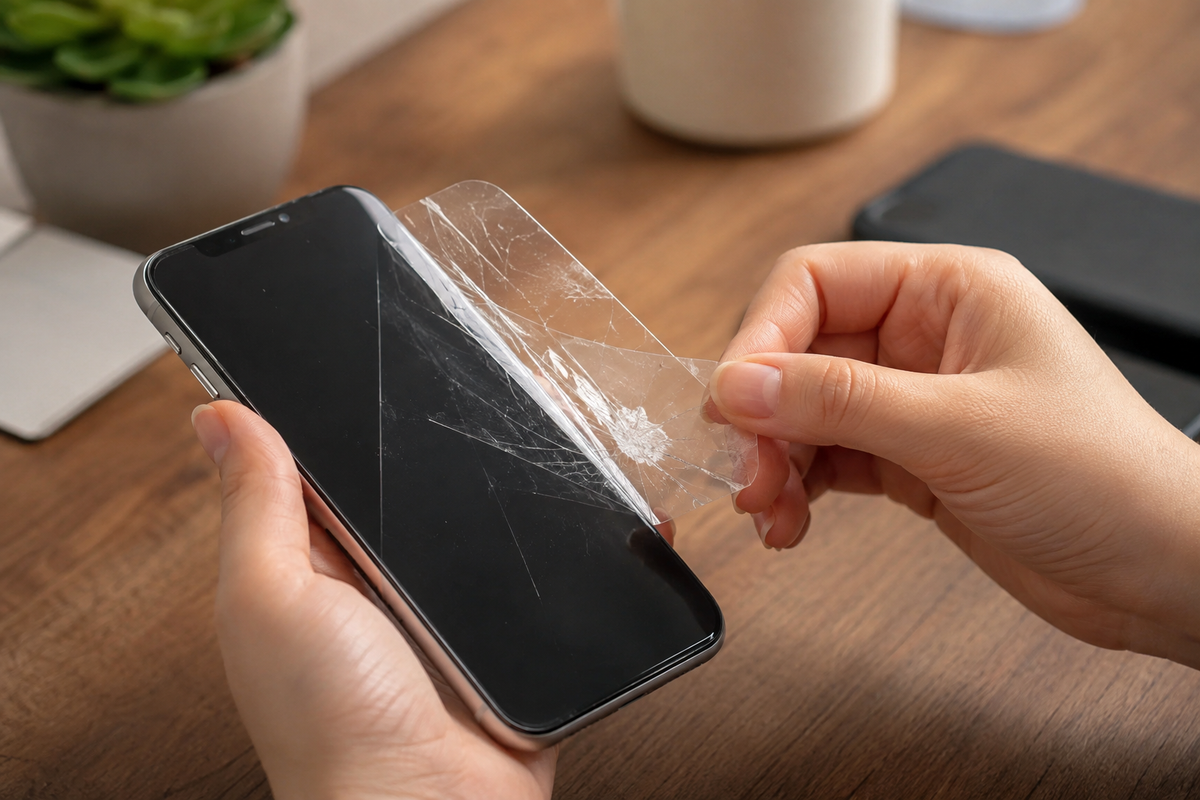
A screen protector is one of the easiest ways to keep your iPhone display safe from scratches, minor impacts, and everyday wear. While many users install one when they buy a new phone, they often forget that screen protectors do not last forever. Over time, even a high-quality protector can lose its effectiveness, making it less capable of protecting the original display.
If you have ever wondered how often you should replace your screen protector, the answer depends on how you use your device, the quality of the protector, and the amount of daily wear it experiences. Understanding the screen protector lifespan and knowing when to replace a damaged screen protector can help you maintain reliable iPhone screen protection while avoiding unnecessary repair costs.
Why Screen Protectors Don't Last Forever
Although screen protectors are made to withstand everyday use, they are designed to absorb damage instead of the original display. This means they naturally wear out over time and eventually need replacement.
The Average Screen Protector Lifespan
Most tempered glass screen protectors last between six months and two years, depending on how often the phone is used and the conditions it is exposed to. A high-quality protector generally lasts longer, but regular wear will eventually reduce its ability to protect your iPhone effectively.
Daily Wear and Tear
Everyday activities slowly affect a screen protector's condition. Frequent tapping, swiping, placing the phone on different surfaces, and carrying it in pockets or bags can create small scratches that become more noticeable over time. These marks may not seem serious at first, but they gradually reduce the protector's effectiveness.
Environmental Factors That Affect Longevity
Environmental conditions also play a role in determining a screen protector's lifespan. Dust, sand, heat, humidity, and accidental exposure to rough surfaces can all speed up wear. Users who spend more time outdoors may notice their screen protector showing signs of damage sooner than those who mainly use their phone indoors.
Quality Makes a Difference
Not all screen protectors are manufactured to the same standard. Premium tempered glass protectors typically offer better durability, stronger scratch resistance, and longer-lasting coatings than lower-quality alternatives. Choosing a reliable product can help extend the time between replacements.
Signs It's Time to Replace Your Screen Protector
A damaged screen protector cannot provide the same level of protection as a new one. Recognizing the warning signs early allows you to replace it before the original display becomes vulnerable.
Visible Cracks or Chips
Cracks and chips are the clearest signs that a screen protector should be replaced. Even if the iPhone display underneath appears undamaged, the protector has already absorbed an impact and may no longer provide reliable protection against another drop.
Deep Scratches Across the Surface
Light scratches are common with daily use, but deep scratches can reduce visibility and weaken the protective layer. If you can easily feel scratches while using your phone, replacing the screen protector is usually the better option.
Peeling Around the Edges
When the edges begin lifting away from the display, dust and dirt can enter beneath the protector. Peeling also reduces the overall coverage of the screen, leaving some areas less protected from accidental damage.
Reduced Touch Sensitivity
If taps or swipes no longer register as smoothly as before, the screen protector could be affecting touch performance. Excessive wear or damage may reduce responsiveness, making everyday tasks less comfortable.
Air Bubbles That Won't Go Away
Small air bubbles can sometimes appear after installation, but bubbles that develop later often indicate the protector has started separating from the display. Once this happens, replacing the protector is usually the most practical solution.
Loss of Screen Clarity
A worn screen protector can become cloudy or develop small marks that affect the viewing experience. If videos, photos, or text no longer appear as clear as they once did, installing a new protector can restore display quality.
What Happens If You Keep Using a Damaged Screen Protector?
Continuing to use a worn or damaged protector may seem harmless, but it can reduce the level of protection your iPhone receives. Replacing it at the right time helps maintain both safety and usability.
Reduced Screen Protection
Once a screen protector has cracks or weakened areas, it becomes less effective at absorbing future impacts. This increases the chance of damage reaching the original iPhone display during another accidental drop.
Poor Touch Performance
A damaged protector can interfere with normal touch response, making typing, scrolling, and gestures feel less accurate. Replacing it helps restore the smooth experience users expect from their iPhone.
Lower Display Quality
Scratches, chips, and worn coatings can reduce screen brightness and clarity. Installing a fresh protector allows the display to look cleaner while maintaining the original viewing experience.
Dirt and Moisture Build-Up
Cracked or peeling protectors create small gaps where dust and moisture can collect. Over time, this build-up may make the screen look dirty and reduce the protector's overall effectiveness.
Increased Risk to the Original Screen
The main purpose of a screen protector is to absorb everyday damage before it reaches the display. Once the protector becomes worn, that extra layer of defense is reduced, leaving the original screen more exposed.
How to Extend Your Screen Protector's Lifespan
While every screen protector eventually needs replacing, a few simple habits can help it last longer. Taking proper care of your device reduces unnecessary wear and ensures your screen protector continues to provide reliable iPhone screen protection.
Clean Your Screen Protector Regularly
Dust, fingerprints, and oils can build up on the surface over time. Cleaning the screen protector with a soft microfiber cloth helps maintain visibility and prevents debris from creating additional scratches during everyday use.
Use a Protective Phone Case
A well-fitted phone case works together with a screen protector by helping absorb the force from accidental drops. This added protection can reduce stress on the edges of the protector, which are often the first areas to crack or lift.
Avoid Contact With Sharp Objects
Keeping your iPhone in the same pocket or bag as keys, coins, or other sharp items can lead to unnecessary scratches. Storing your phone separately helps preserve the surface of the screen protector and extends its lifespan.
Replace It After a Major Drop
Even if the protector looks fine after a significant drop, small internal cracks may weaken its ability to absorb future impacts. Replacing it after a major accident ensures your iPhone continues to receive reliable protection.
Choose a High-Quality Screen Protector
The quality of the screen protector has a direct impact on its durability. Choosing a well-made tempered glass protector with strong scratch resistance and reliable coatings can provide better long-term performance and reduce the need for frequent replacements.
Choosing the Right Replacement Screen Protector
When it's time to replace your screen protector, selecting the right one is just as important as replacing it at the right time. A quality replacement should offer durability without affecting your iPhone's display or touch performance.
Tempered Glass or Film: Which Is Better?
Tempered glass is generally preferred because it offers better scratch resistance, improved impact protection, and a smoother feel that closely matches the original iPhone display. Film protectors are thinner but usually provide less protection against drops and deeper scratches.
Make Sure It Fits Your iPhone Model
Every iPhone has slightly different screen dimensions and design features. Choosing a protector designed specifically for your model ensures proper edge coverage, camera compatibility, and uninterrupted Face ID performance.
Look for Quality Features
A good screen protector should offer features such as an oleophobic coating, high transparency, and responsive touch performance. These features improve everyday usability while helping keep the display cleaner and easier to maintain.
Buy From a Trusted Brand
A reliable brand can make a noticeable difference in long-term protection. Clear Lizard offers screen protectors designed for durability, clarity, and smooth touch responsiveness, helping users protect their iPhone screens without compromising the everyday experience.
Final Thoughts
Replacing a screen protector is a simple maintenance task that can make a significant difference in protecting your iPhone. Waiting until the protector is heavily damaged reduces its ability to absorb impacts and increases the risk of damage reaching the original display.
If you've been wondering how often you should replace your screen protector, the answer depends on how you use your device and the condition of the protector itself. Visible cracks, deep scratches, peeling edges, reduced touch sensitivity, or poor screen clarity are all clear signs that it's time for a replacement.
Investing in a quality replacement at the right time helps extend the life of your iPhone display and keeps your device looking and performing its best. Regularly checking the condition of your screen protector is a small step that can help prevent expensive screen repairs in the future.
Frequently Asked Questions
1. How often should you replace your screen protector?
Most users should replace a tempered glass screen protector every six months to two years, depending on daily use and its overall condition. If it becomes cracked, scratched, or starts peeling, it should be replaced sooner.
2. Can I keep using a cracked screen protector?
A cracked screen protector should be replaced as soon as possible. Although it may still cover the display, its ability to absorb future impacts is significantly reduced.
3. How long does a tempered glass screen protector last?
A high-quality tempered glass protector typically lasts between six months and two years. Its lifespan depends on usage habits, accidental drops, and exposure to dust or rough surfaces.
4. Will replacing my screen protector improve touch sensitivity?
Yes. If your current protector is worn, cracked, or lifting around the edges, installing a new one can restore smoother touch response and improve the overall user experience.
5. Does a screen protector help prevent expensive screen repairs?
A quality screen protector helps absorb everyday scratches and minor impacts before they reach the original display. While it cannot prevent every type of damage, replacing a damaged protector on time can help reduce the risk of costly screen repairs.


Share:
Ceramic Shield vs Tempered Glass: What Protects Your iPhone Better?
Best Screen Protector for iPhone 18: What Should You Choose?